 AUTO MIXAUTO MIXAUTO MIX
For Suno creators
Suno and Udio give you great songs — at ten different volumes, in ten different tones, that hard-cut into each other. AUTO MIX levels them, matches their tone and beat-matches the transitions, so a folder of generations becomes a mix your channel can run for an hour.
No signup to preview · works with any MP3, WAV or FLAC
Generating the music is the easy part now. Making twenty of them sit together as one listen is the work — and it’s the work AUTO MIX does.
One song lands at −8 LUFS, the next at −16. On a playlist that's a volume war; in a compilation it's exhausting to listen to.
AI masters swing from boomy to brittle track to track. Nothing tells the listener these songs belong to the same release.
No DJ intro, no outro — so a compilation hard-cuts every two or three minutes and the momentum dies.
Watch the three-minute tour, or scroll through the eight screens below, in the order you’ll see them. These are the app, not mock-ups.
Part one · the mix
From a folder of generations to one continuous set, in three clicks.
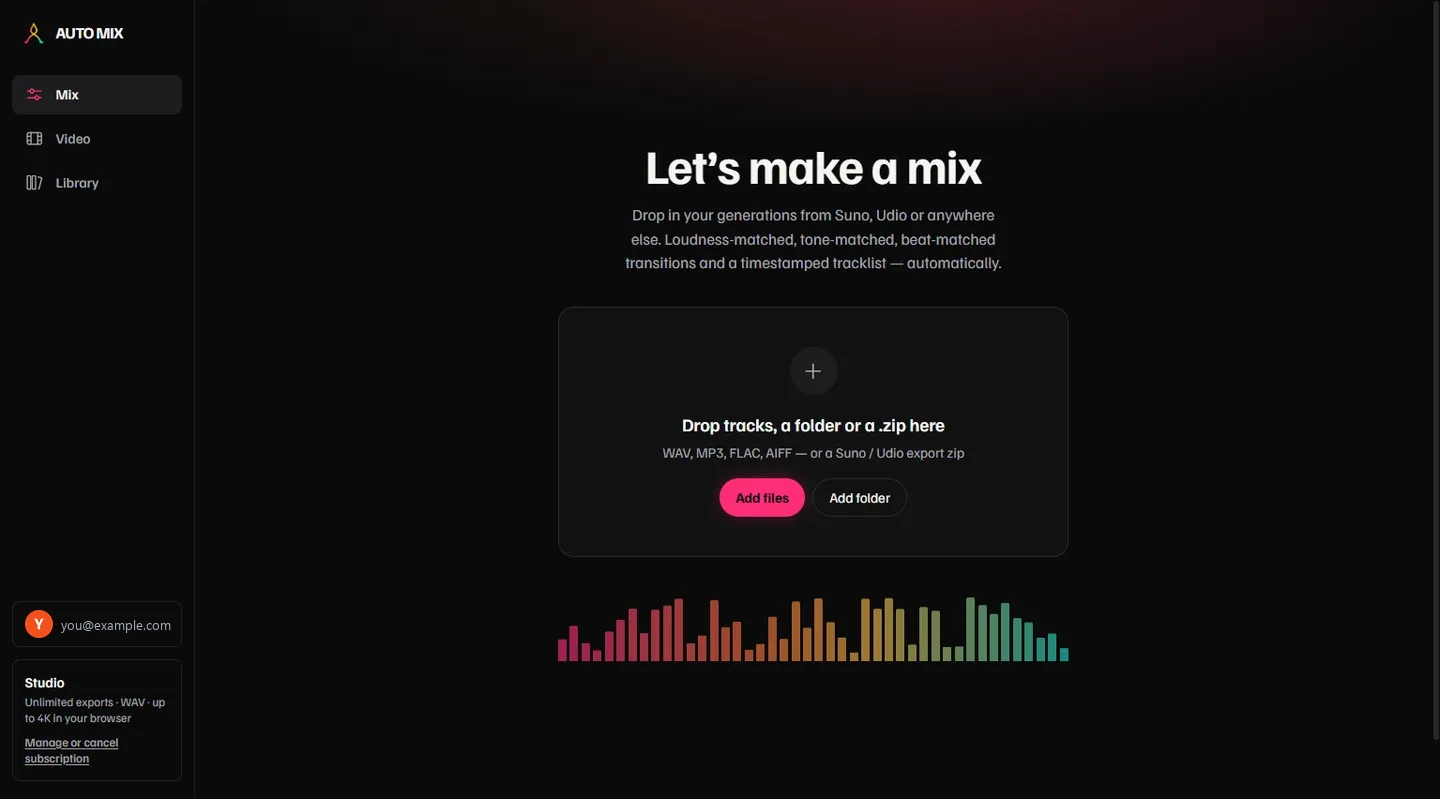
WAV, MP3, FLAC or AIFF — or the export zip straight from Suno or Udio. Drag a folder, drop a zip, or add files one at a time.
Every track is analysed for tempo, key and energy. Pick the mix tempo from the suggestions, watch the energy arc, and see which transitions are a perfect key match before anything renders.
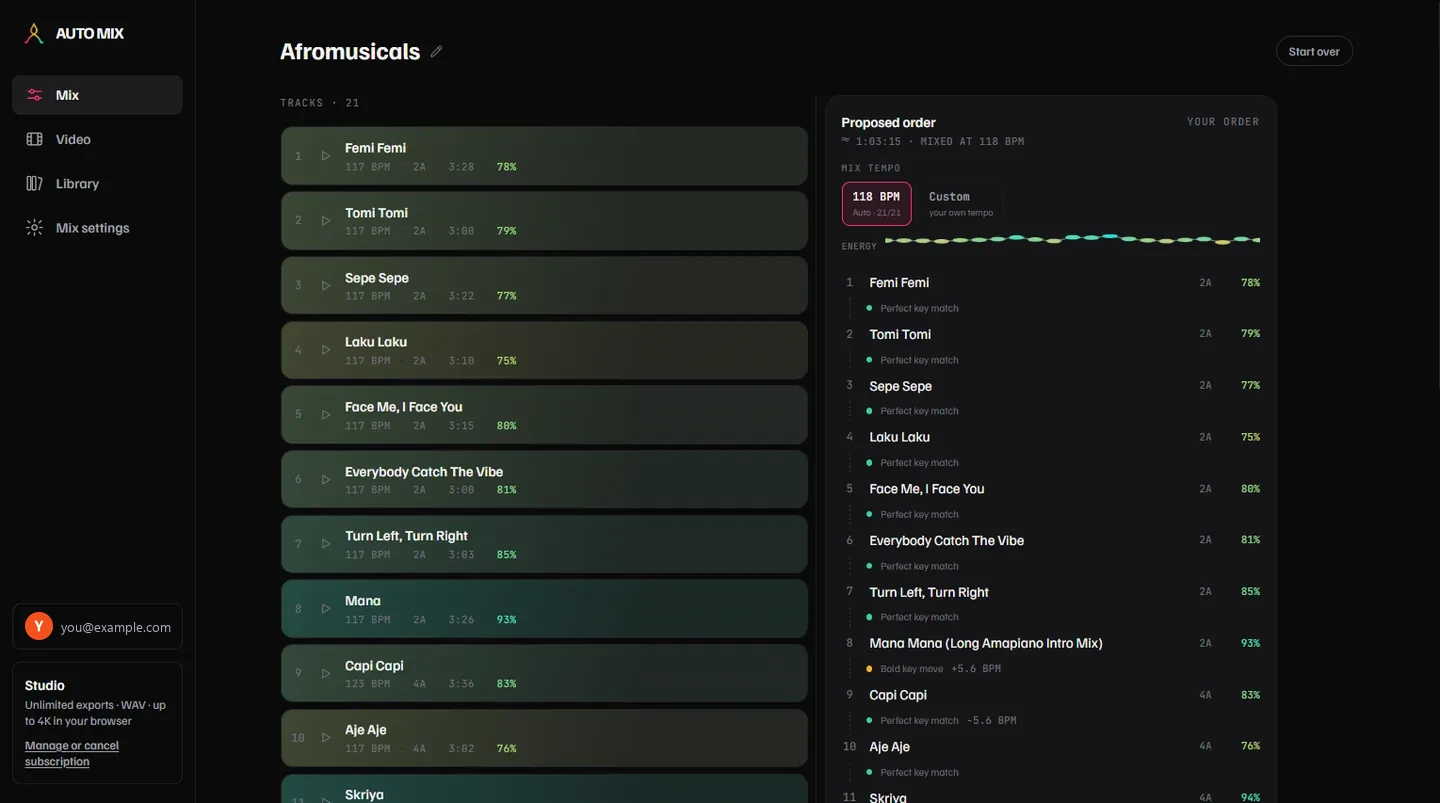
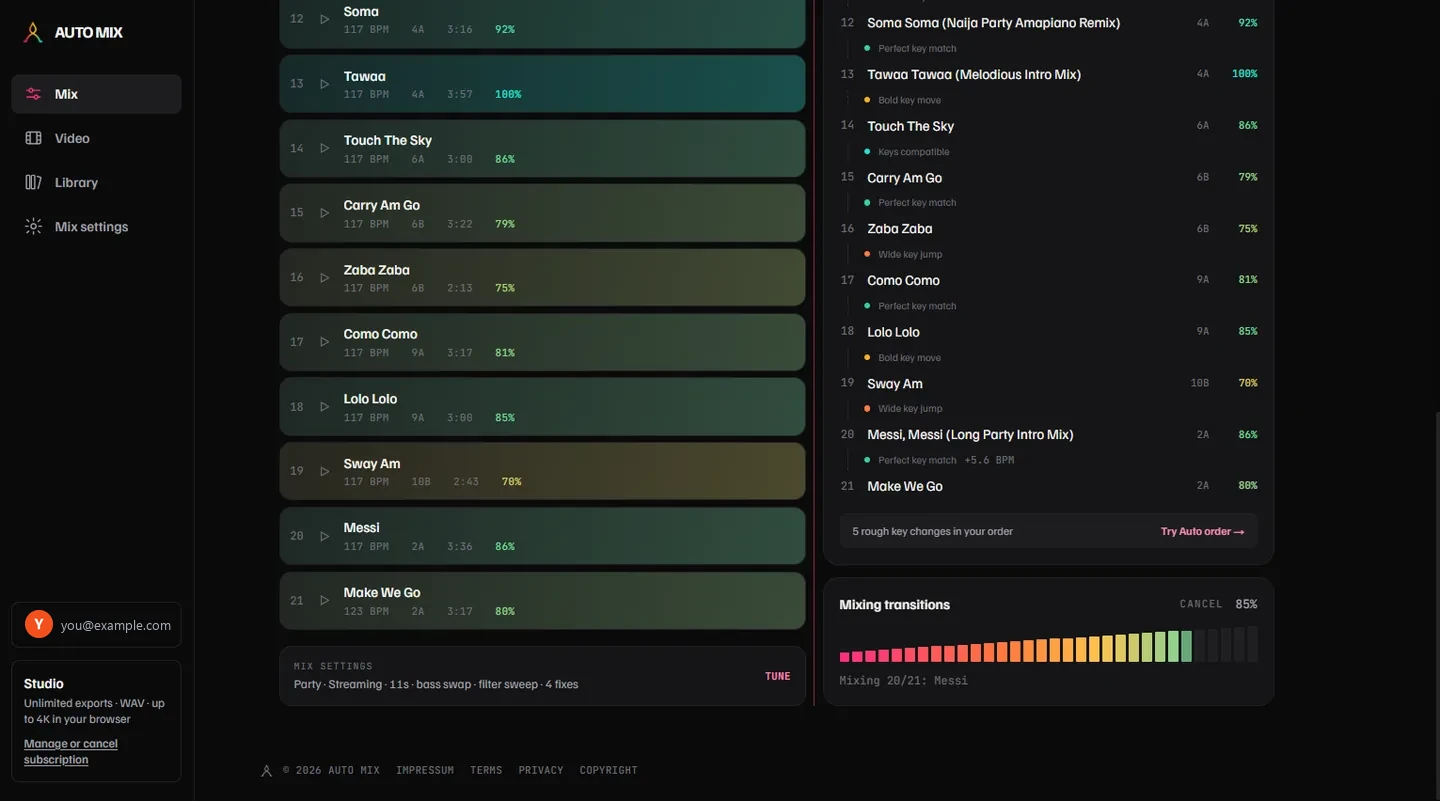
Beat-matched, key-aware transitions with bass swaps and filter sweeps. Rough key changes in your own order are flagged, with Auto order one click away.
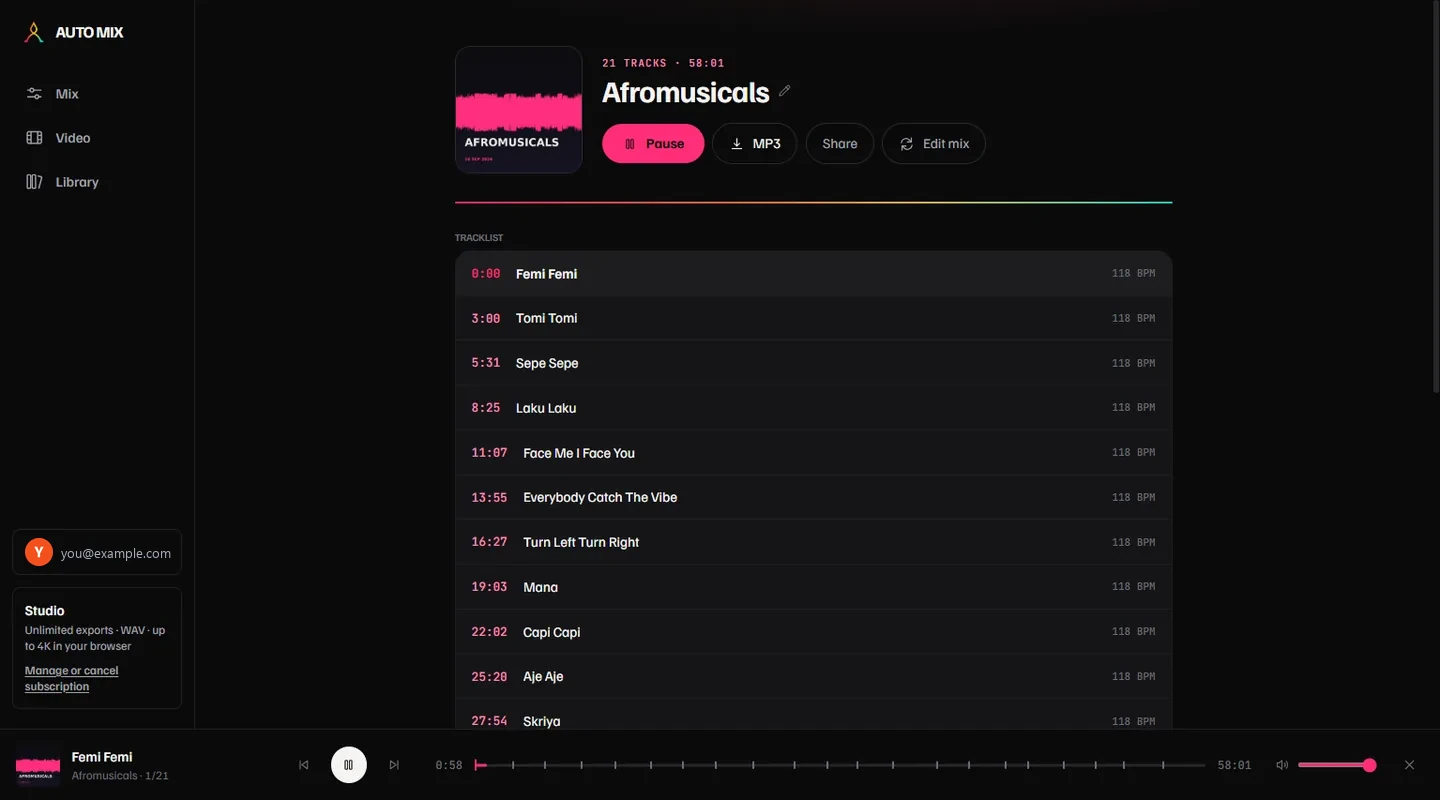
A loudness-matched master as WAV and 320 kbps MP3, cover art, a share page, and timestamped chapters ready to paste into a YouTube description.
Part two · the video
The same mix, made into a YouTube-ready MP4 in your own browser.
Drop photos and clips onto one timeline — stills pan and zoom, clips play. Built a look you like? Reuse it on your next mix with one click.
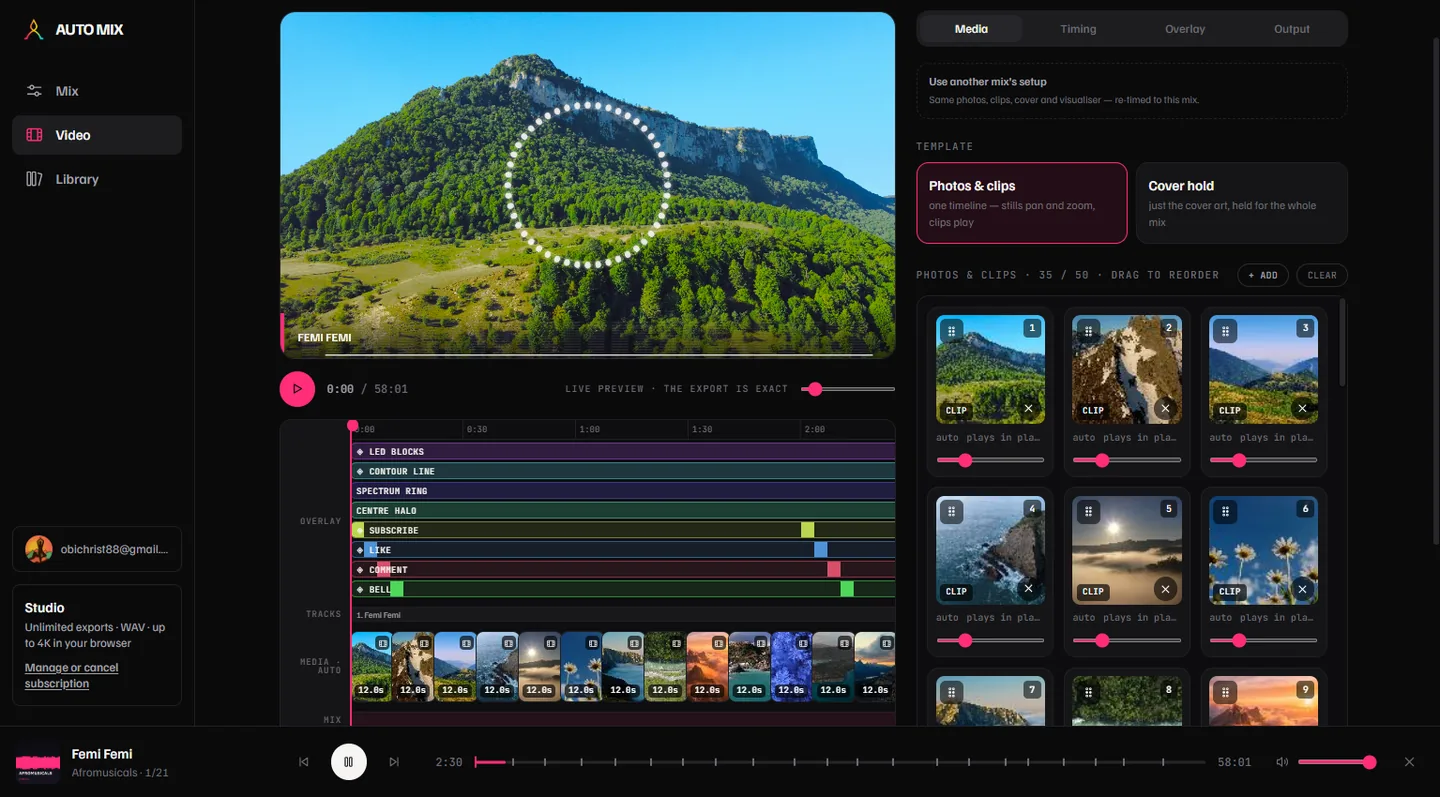
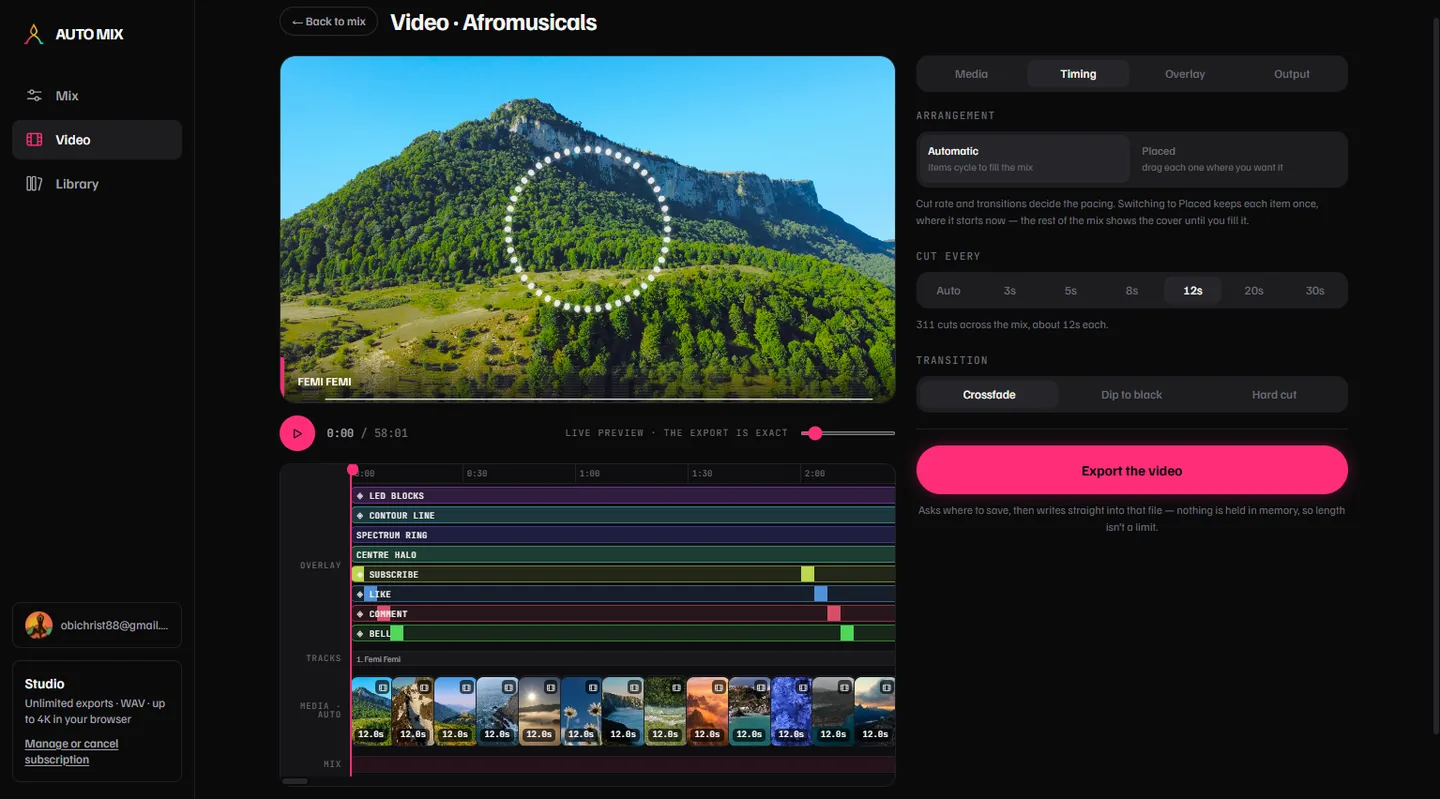
Choose how often it cuts and how each cut transitions. Automatic spreads your media evenly across the mix; Placed lets you drag each item exactly where you want it.
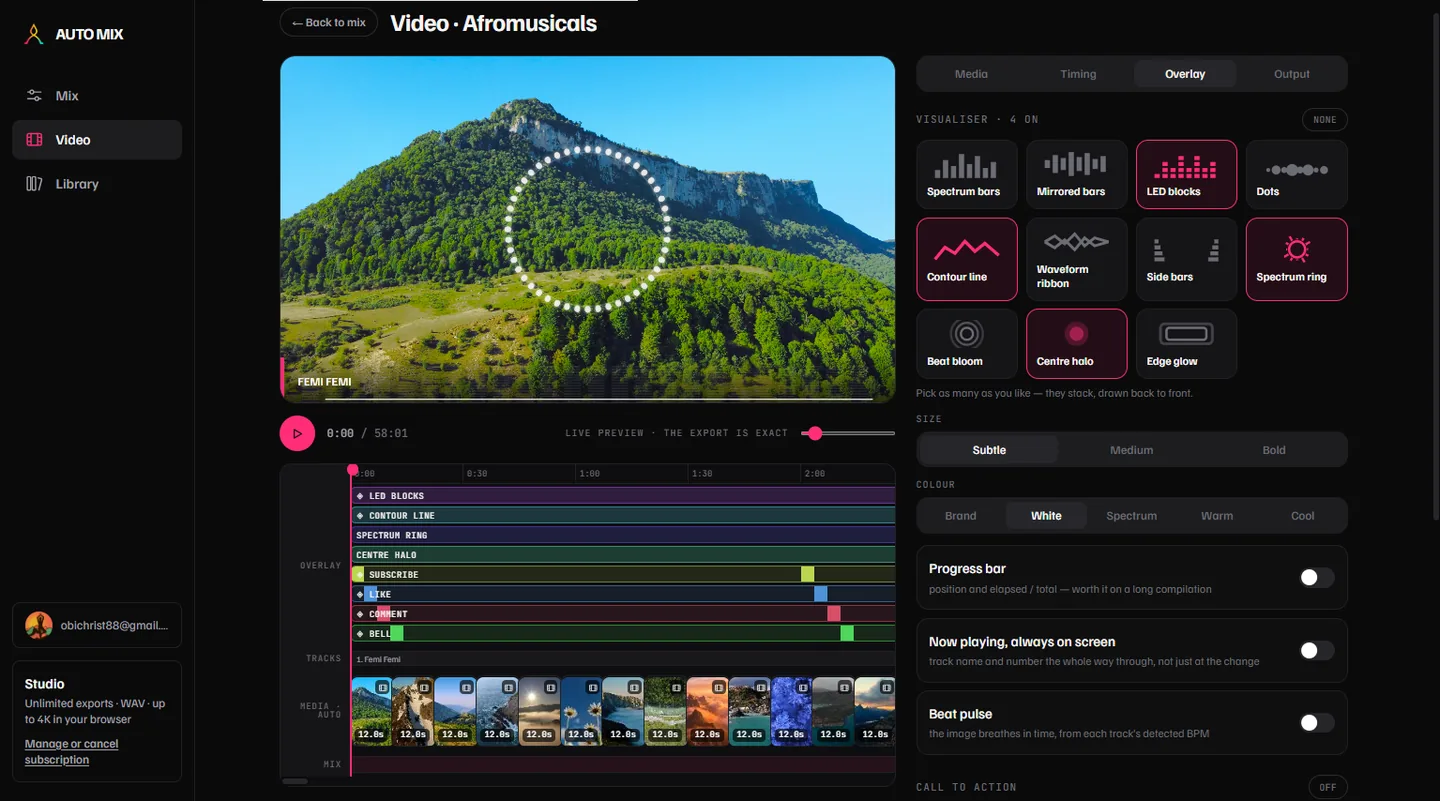
Eleven styles that stack, in any colour. Add a progress bar, the now-playing title, a beat pulse, and subscribe, like and bell cards you drag into place on the picture.
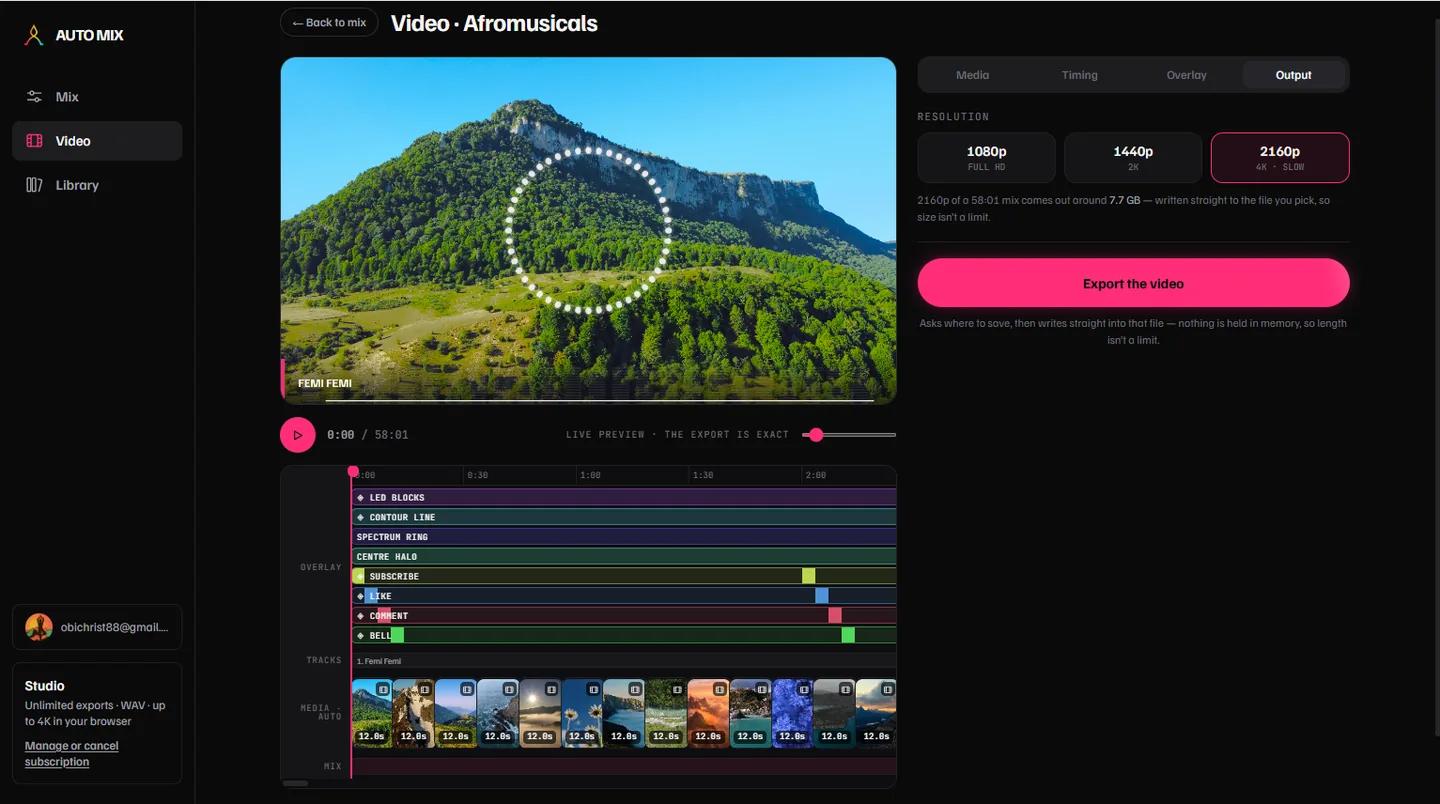
Rendered by your own browser and written straight to the file you pick — nothing is uploaded, nothing is queued, and length isn’t a limit. 1080p, 1440p or 2160p.
Each track measured in LUFS and moved to one level — with a per-track before/after report — then a true-peak limiter keeps the mix clean.
A bright generation and a dull one are nudged toward a shared tonal shape, so an hour of AI songs sounds like a single body of work.
Finds a clean exit in one song and a clean entry in the next, then crossfades on an S-curve — with optional bass swap and filter sweep.
Sequences your tracks on the Camelot wheel and shapes the energy arc — or let an AI pass plan the build, or keep your own order.
A timestamped tracklist, YouTube chapters and a ready-to-paste description — Suno / Udio filenames cleaned up automatically.
Your images plus the mix as a 1080p / 2K / 4K MP4 with per-track title cards — and a 9:16 teaser of the biggest moment for a Short.
Bring tracks from
Free gets you a whole mix and a few videos a month. Video is exported by your own browser — it does 4K, there’s no queue, and nothing is uploaded. Paid plans drop the badge, lift the length and track limits, and unlock the WAV master and 2K/4K.
Preview any set — no account needed.
For mixes you make often, and want to look right.
For a channel that puts out a set every week.
Drop in a few of your generations and see the proposed order and energy arc before anything is exported.
Start mixing — it’s free